
Register & service
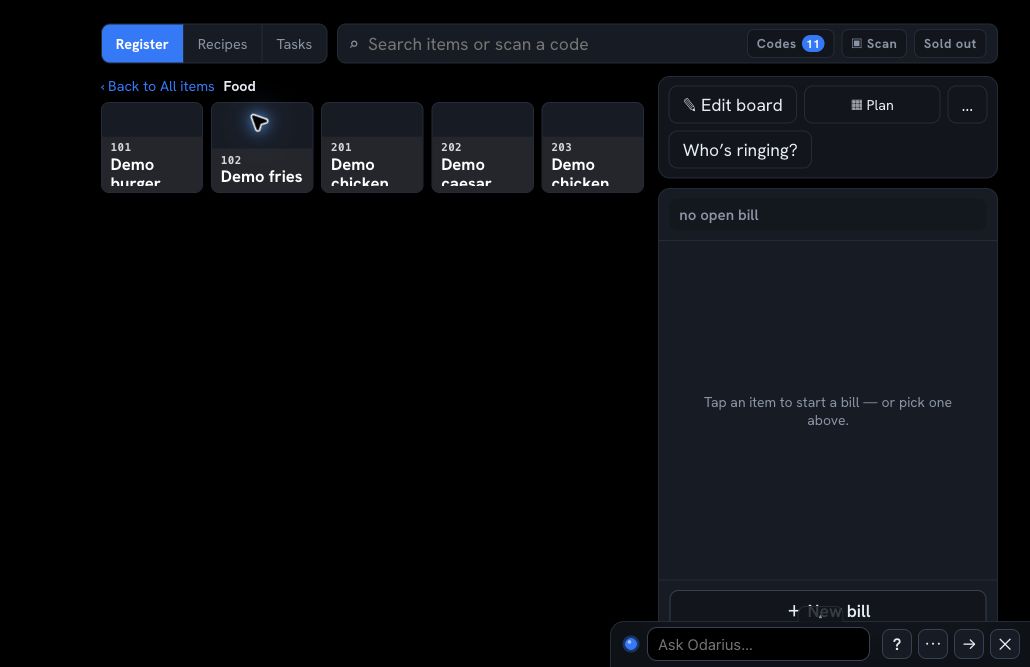
Take orders, manage bills, support dining modes, and move work forward from one service view.
The platform, without the clutter
Odarius connects daily restaurant work, business-health signals, and compatible building devices around one shared operating picture. Each company receives the capabilities included in its subscription—not a screen full of tools it will never use.
Sell & serve
Keep the service flow understandable while the restaurant is moving.
Take orders, manage bills, support dining modes, and move work forward from one service view.
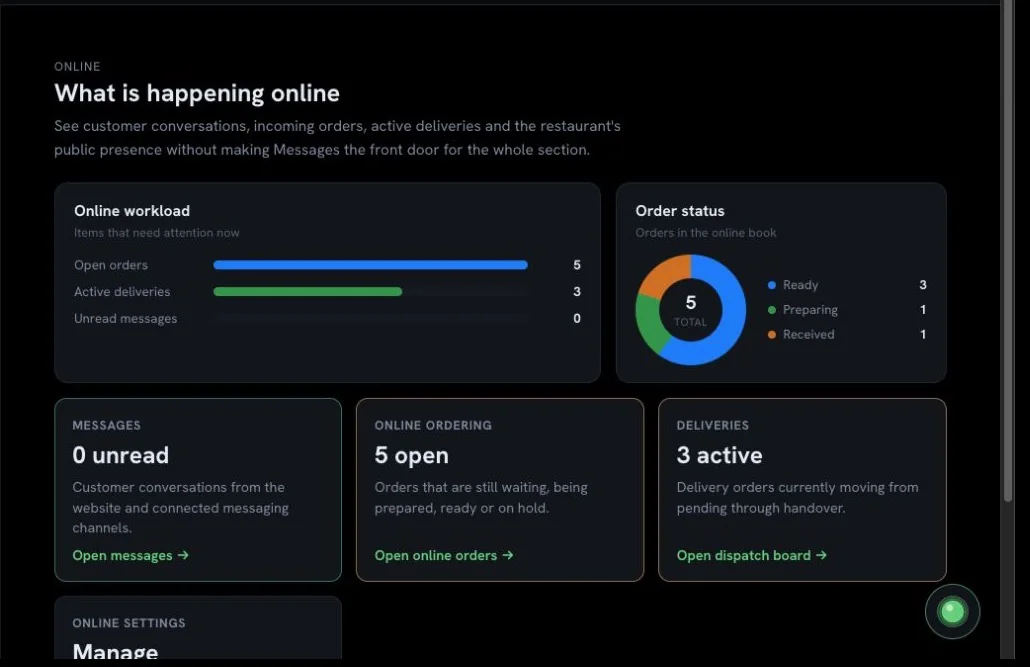
See incoming orders, status, messages, and delivery workload in an operational queue.
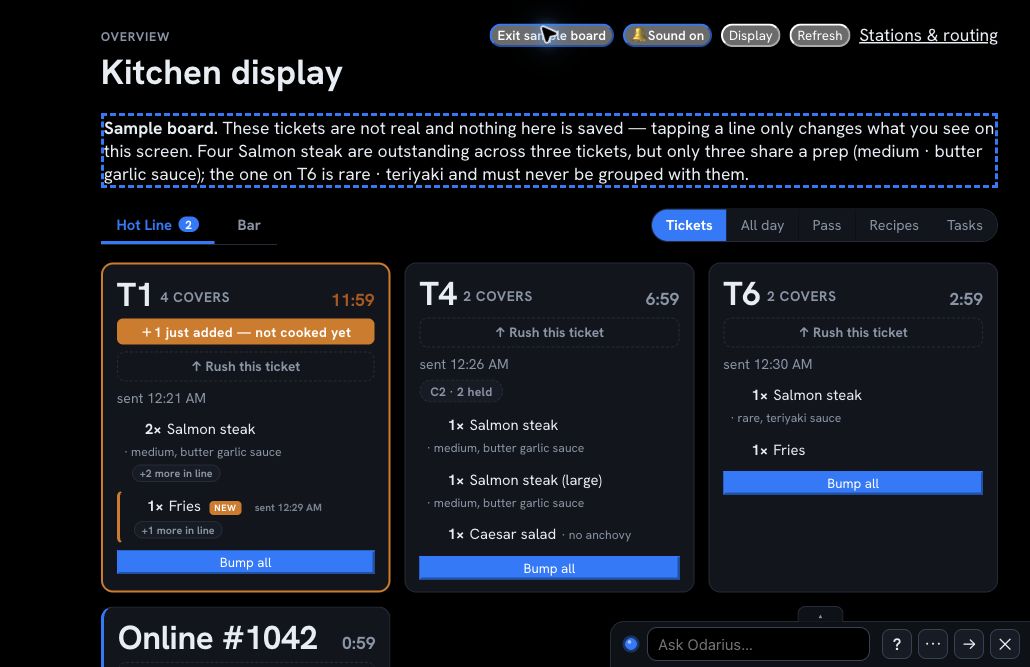
Route tickets by station, watch timing, group preparation, and coordinate the pass.
Support the arrival, service, collection, delivery, or driver handoff around the order.
Control the operation
Use the capabilities that fit your operation, without turning every person’s screen into a control room.
Maintain items, choices, recipes, availability, and pricing from a shared source.
Support counts, usage, purchasing, suppliers, waste, and food-cost visibility. See a drafted order reviewed
Coordinate schedules, availability, requests, clock-ins, labour visibility, and communication.
Keep recurring operational work visible, assigned, and connected to the day.
Useful automation
Odarius can move configured work forward and surface exceptions without turning the restaurant into a black box.
Send configured items and tickets toward the right preparation station and service handoff.
Create the next scheduled check or routine task so opening, closing, and safety work stays visible.
Bring late work, changed instructions, unusual readings, or missed checks to the responsible role.
Prices, payments, protected controls, and other sensitive actions remain governed by role and company rules.
See where Odarius uses AI, and what you approve
Configured—not uncontrolled. Automation depends on the enabled capability and the rules agreed for that company. It does not bypass permissions or turn an unfinished integration into a live feature.
Monitor & protect
Odarius can connect compatible monitoring and control devices to the same operating picture as the restaurant. Authorized people can see alerts, review history, and use configured controls without giving every user access to the building.
Receive alerts from compatible water sensors in kitchens, bathrooms, storage, and other risk areas.
Use configured controls for compatible toilet-feed valves or the building’s main water valve when action is required.
Follow current readings and temperature history so unsafe movement or failing equipment can surface sooner.
Bring compatible electrical readings into view to identify unusual consumption, operating patterns, or equipment behaviour.
Route important events to the people responsible for responding, with access governed by company and role.
Review readings, alerts, acknowledgements, and configured actions alongside the wider operating context.
Understand the business
Connect sales, costs, customers, stock, labour, and selected device signals so owners can see the health of the business and understand what needs attention.
Keep customer history, conversations, feedback, and service context together.
Bring feedback and review activity closer to the service context that created it.
Bring the signals that matter—sales, orders, labour, stock, waste, costs, and selected building alerts—into one management picture.
Compare periods, notice unusual movement, and focus attention on changes that deserve a closer look.
Connect purchasing, expenses, reconciliation, margins, and operating results to the work behind the numbers. Read the planned receipt-capture guide
Support return visits, targeted communication, and offers when those modules are enabled.
Tutorials & walkthroughs
Odarius guidance is organized around real restaurant tasks—from preparing the day and taking an order to kitchen handoff, purchasing, reporting, and connected hardware.
Browse the tutorial topics and public answers now. Complete videos will appear only after their screens, narration, captions, and instructions are ready for customers.
Browse tutorialsClear boundaries
A person may use one identity, but that does not unlock every company, module, or administrative area.
How it compares
Every line on the left is a claim you can hold us to. The right-hand column is what is common in this category — not a verdict on any one product, and not a company we have decided to speak for.
What this table will not do. It will not name another company and tell you what that company cannot do. Products change weekly, our information about them would go stale quietly, and a chart that misstates somebody else’s product is worth nothing to the person reading it. Where we know a specific, checkable fact — that reading invoices with AI is widely available, for instance, and normally sold as an add-on — we say so, including when it makes us less special. The rest of the right-hand column is the shape of the category, and you should check it against whatever you are actually being offered.
Private beta access is reviewed and configured around the company, its roles, and a safe testing scope. Invited participants can explore the public beta modules included in that scope; internal-only capabilities are not part of subscriber access.
Businesses that complete agreed testing and feedback may qualify for discounted launch access. The exact benefit and conditions are confirmed in writing before testing begins.
