
One order, one connected path
See how the work moves—without chasing it.
Follow a typical order from the moment it is entered to the moment the wider operation can respond. Each person receives a focused view of the same shared work.

The operating loop
Information moves forward with the order.
Odarius connects the handoffs while keeping each screen appropriate to the person using it.
- 01Order enteredRegister or service flow
- 02Kitchen receivesTicket and station work
- 03Status movesPreparation and handoff
- 04Operation seesOne useful picture

The guest journey
Let the operation work quietly around the table.
From a warm welcome through well-timed service, Odarius helps each handoff happen without bringing operational noise into the guest experience.
WelcomeServiceUseful insight
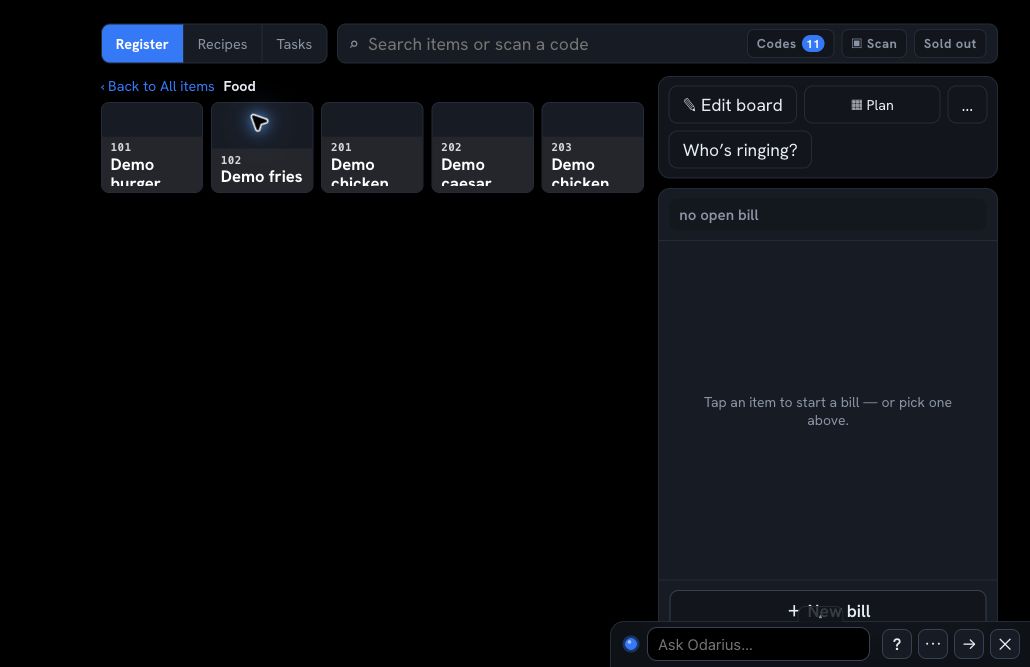
Continue with Sepsut, the StrategistStart clearly at the point of service.
Build the order, make choices, and keep the bill visible in a focused register view. The information begins once and can move into the next part of the operation.
- Menu and choices in context
- Dining mode and bill controls together
- Role-appropriate access for the person serving

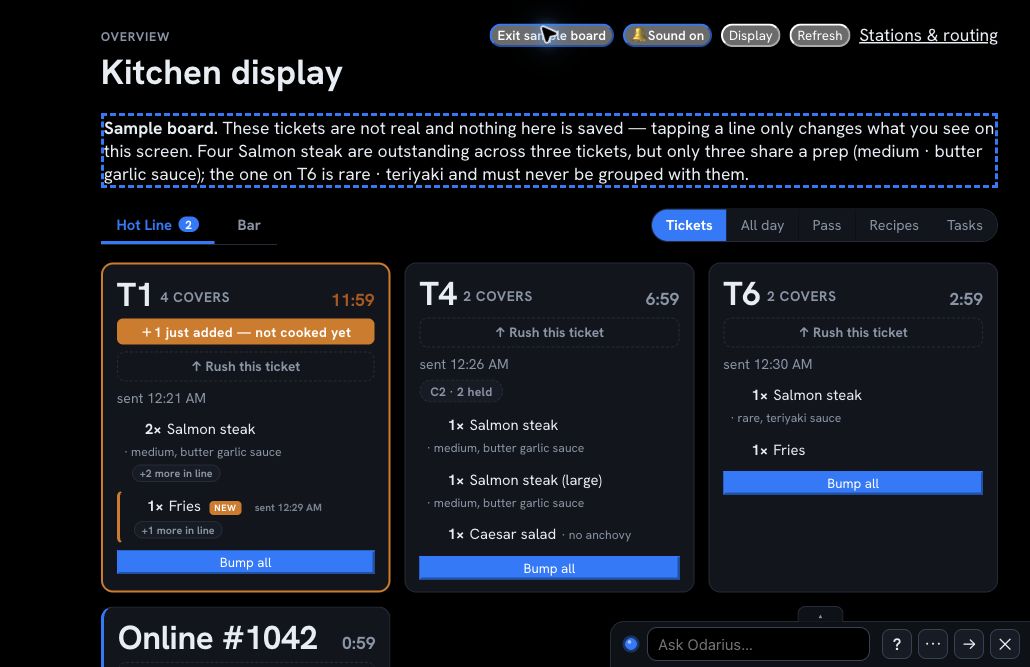
Give the kitchen the work—not the clutter.
Tickets arrive in an operational view designed for preparation. Stations and the pass can understand what is active without seeing unrelated administration.
- Active tickets visible at a glance
- Timing and preparation stay close to the work
- Status can continue toward handoff
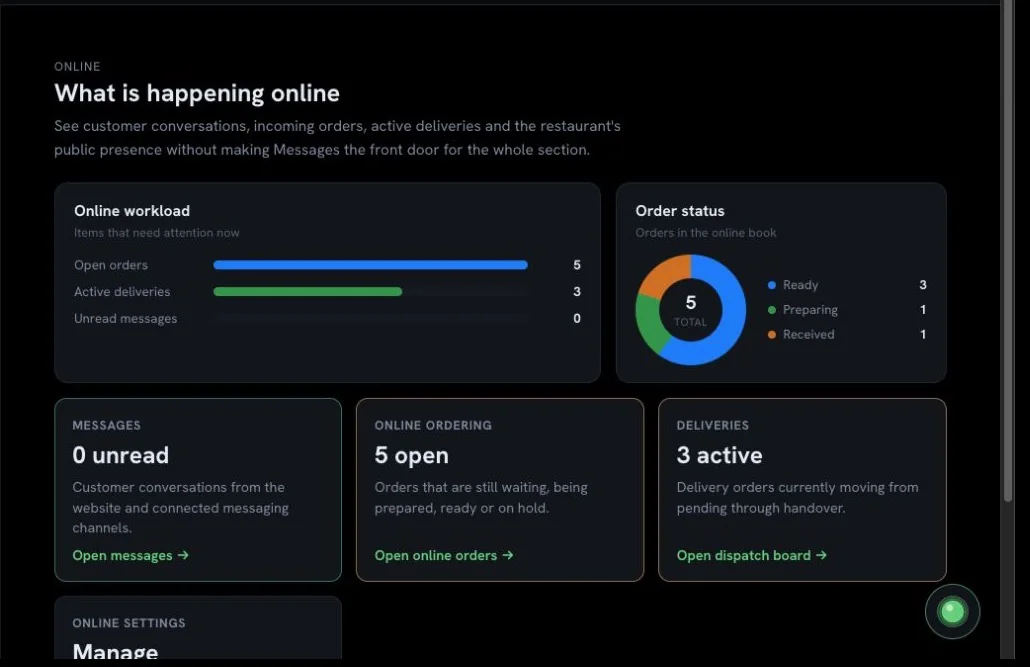
Keep incoming work and handoffs in view.
Online orders, messages, status, and delivery activity can be understood from one operating screen. The goal is not another dashboard—it is knowing where attention is needed.
- Incoming work in an operational queue
- Messages and order status kept nearby
- Exceptions easier to notice and act on
The result
One shared operation. Several purposeful views.
The register does not need management controls. Kitchen staff do not need company administration. A manager does not need to stand beside every screen. Company membership, subscription, and role shape what each person can access.
Identityconfirms who signed in
Companysets the workspace boundary
Subscriptionenables the purchased capabilities
Roleshows the work that person may use
A truthful preview
Real screens from a safe demo workspace.
The screens above show the product experience without exposing a customer’s live operation. Available capabilities and views vary by subscription, company configuration, compatible hardware, and assigned role.
Want to see your own operating path?
Tell us how orders and information move through your restaurant. We will shape the demonstration around that reality.